Features

Explore iClara TM's core features: goals, tasks, reminders, recurrence, search, export & backup, weekly reports and haptics. Click a section to jump to details.

Goals

Goals are the central organizing unit. You can:

  • Create a goal with title, category and color.
  • Add multiple tasks, mark some as core to prioritize them.
  • Set a goal deadline and see the progress ring and overdue badge.
  • Edit, close or delete goals.

Tasks

Tasks can be global or part of a goal. Key features:

  • Quick status buttons to mark Active / Done / Overdue / Closed.
  • Task-level deadlines and optional comments.
  • Core tasks get visual prominence and are used in "mark goal as reached" flows.
  • Inline task editing with date pickers and status popovers.

Goal Details

Get all the details of your goal: title, category, deadline, creation date, progress ring, number of overdue tasks, and completion date.

You can also access the task list with each task’s title, creation date, deadline (if any), status icon, and completion date. In addition, you can share your goal or close it.

  • Goal information.
  • Tasks information.
  • The app will mark all active and overdue tasks as closed when closing a goal.
  • Understand the different icons with a glossary.
  • If all the core task are done you may choose to set the rest as closed.

Recurring goals & advance warnings

iClara can create future occurrences of a goal based on your recurrence settings. You decide:

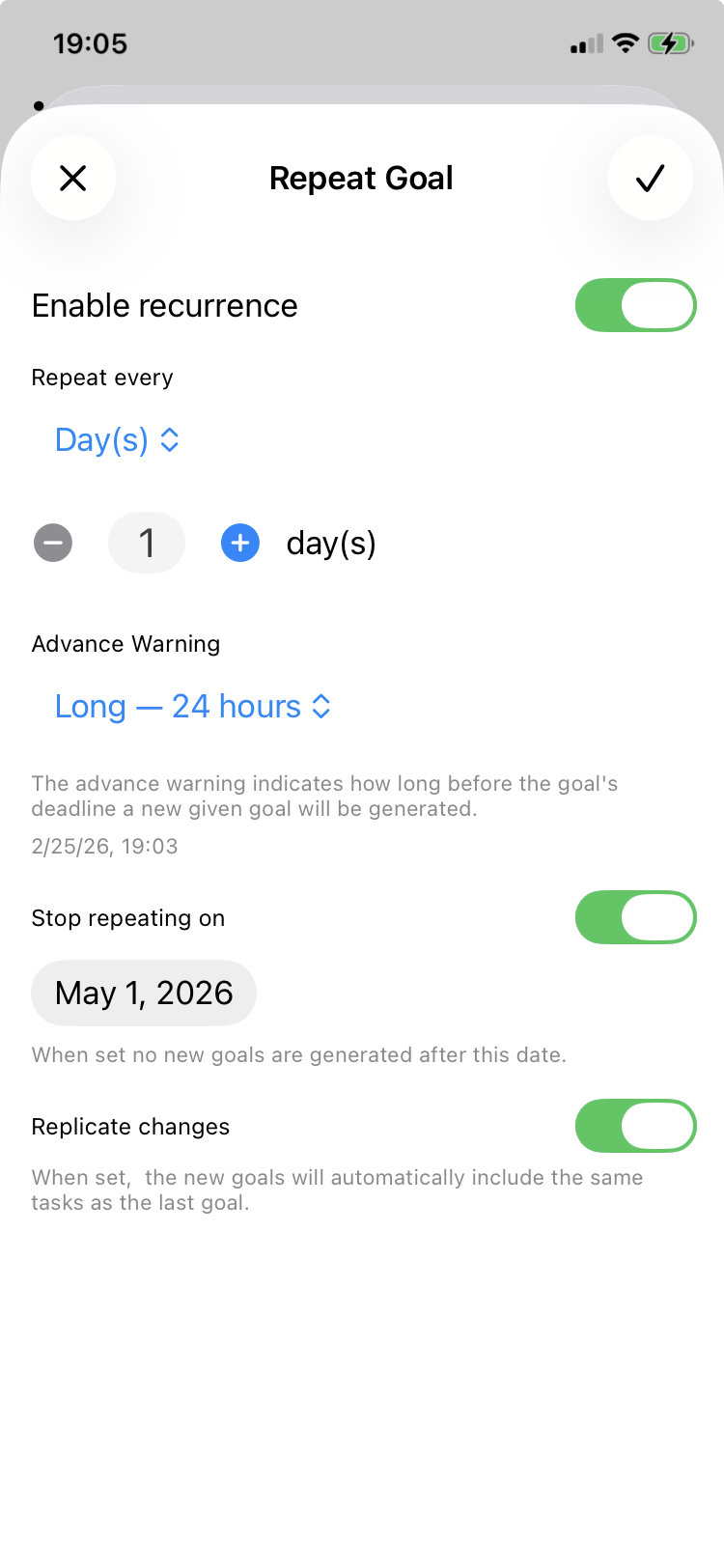
Recurrence settings: day frequency

Daily recurrence

Choose hours before the deadline when you want to be alerted.

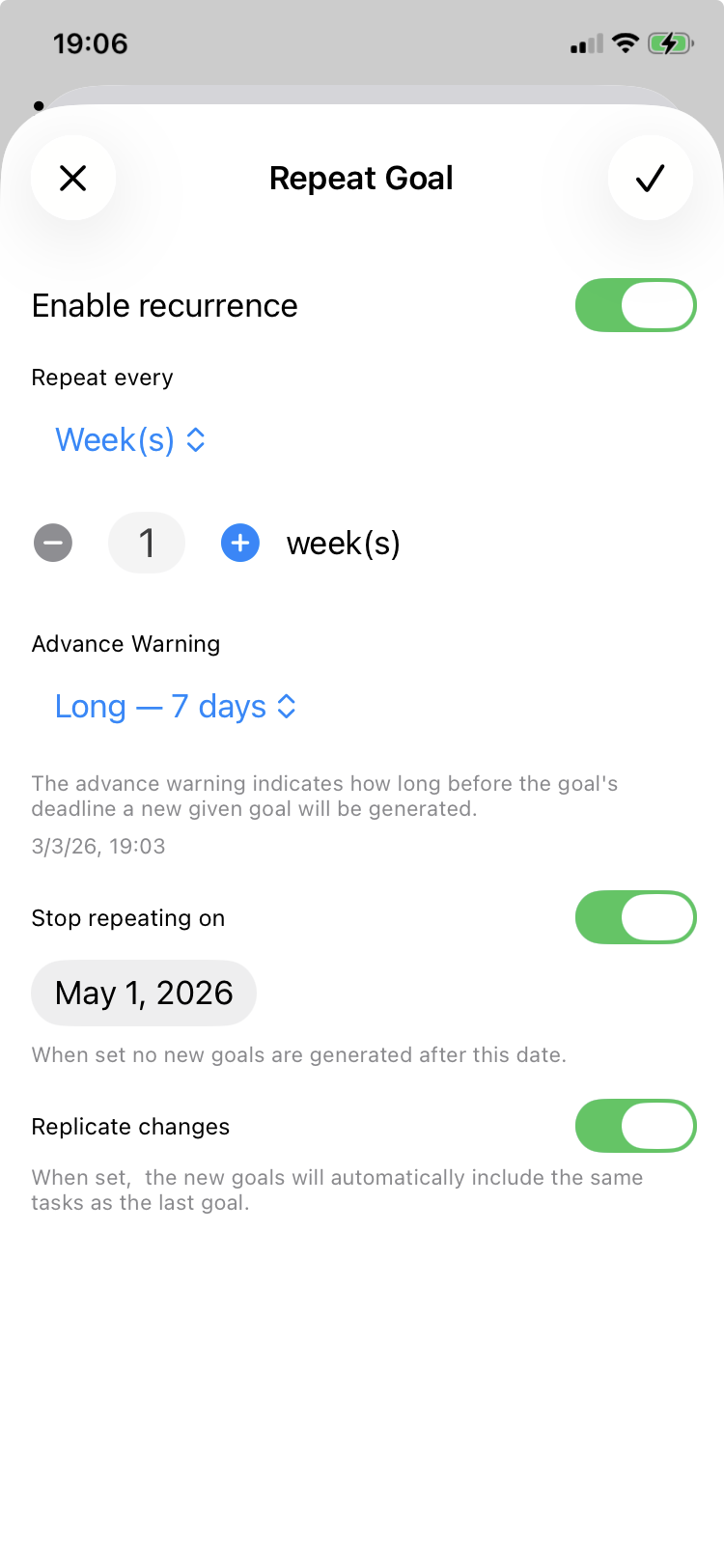
Recurrence settings: week frequency

Weekly recurrence

Set weekly intervals and pick a 4/5/7 day advance window.
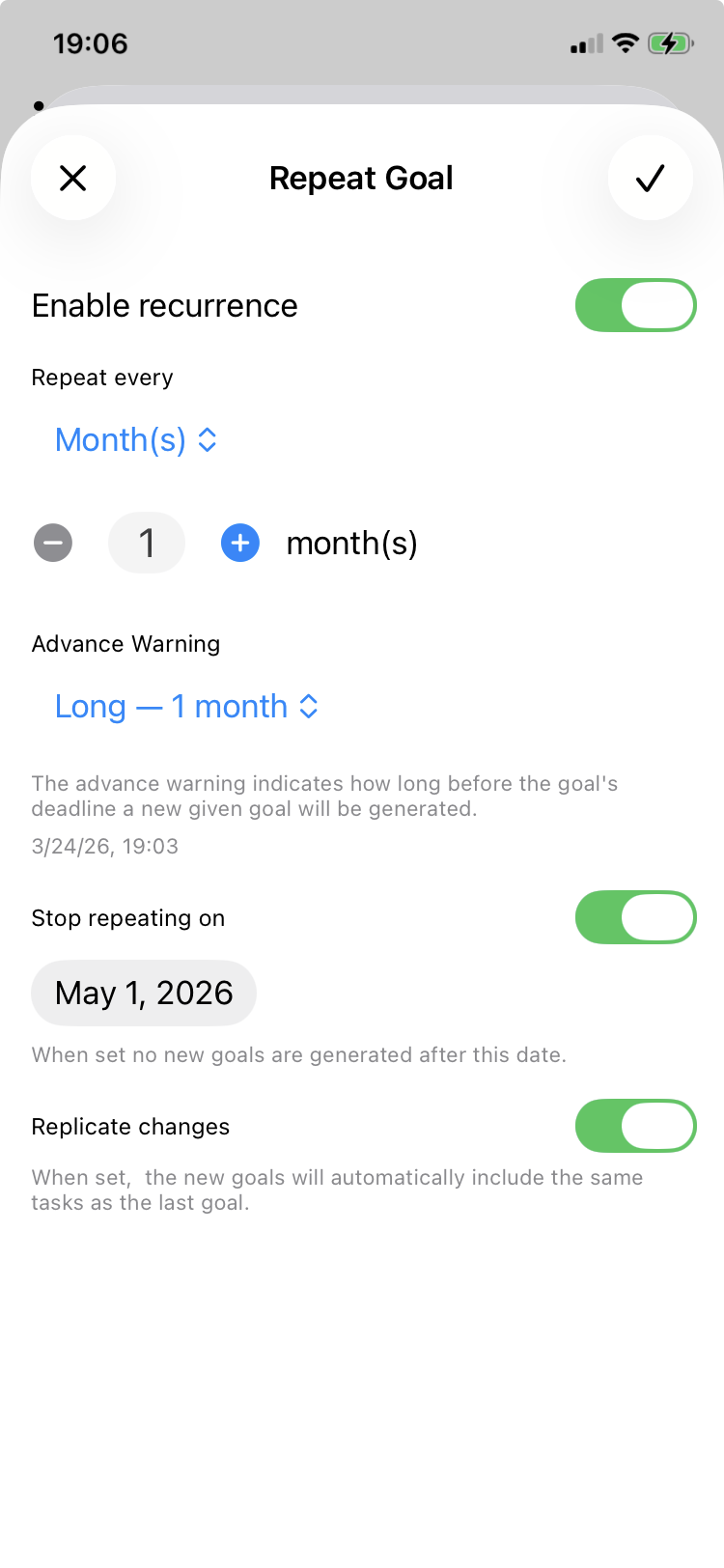
Recurrence settings: month frequency

Monthly recurrence

Choose monthly repeats and use month/day-based advance windows.

Export & Backup

iClara offers portable exports and local backups:

  • Goal export as PDF (paginated) or JSON (structured).
  • Local backups (full app data) saved to Files; restore will overwrite local data — the app asks for confirmation.
  • Import rules — single-goal imports get new UUIDs and set createdAt to import time; imports will try to reuse categories or create new ones.
  • v1.5: restored backups resume recurrence from the correct point — no failed retries or unexpected behavior.

Global Reminders & Deadline Notifications

iClara keeps you on track with two complementary notification systems:

Global Reminders

  • Four daily reminder types: Morning, Midday, Afternoon, Night — each at your chosen time.
  • Reminders show your top 3 active goals to keep priorities visible.
  • Only 4 strategic reminders per day — no notification fatigue.

Deadline Notifications

  • Automatic alerts when a goal or task deadline is reached.
  • Smart badge count reflects current overdue items (v1.5: now accurately tracks real goal state — no incorrect accumulation).
  • Goal completion clears related notifications automatically.

Goal Colors & Categories

Visual organization built-in:

  • 31 distinctive colors — pick manually or let the app auto-assign to avoid duplicates across active goals.
  • 14 built-in categories — Personal, Family, Home, Work, Study, Travel, Shopping, Entertainment, Health, Education, Hobbies, Food, Transportation, Other.
  • Custom categories supported — create, rename, reorder, or delete.
  • Finished goals automatically turn black for clear visual separation.

Weekly Reports

Every Sunday you'll get a notification to review the weekly report with insights and interpretations.

  • The report includes clear insights such as procrastination risk, habit strength, overdue concentration, engagement, and deadline responsiveness.
  • The interpretation provides summaries of your interactions with the app, which categories were in focus, and if overdue patterns appeared.
  • All this information can be exported as PDF for further reference.

Haptics

iClara adds tactile feedback across the app for a more tactile and responsive experience:

  • Light haptics on button taps and quick actions.
  • Stronger feedback for goal completion and important confirmations.
  • Custom HapticManager orchestrates patterns to keep interactions pleasant and informative.

Haptics require a device with haptic capability and can be toggled in Settings.

Try iClara TM

iClara TM is designed for quick setup, private usage, and flexible exports. Download the app and try creating your first goal in minutes.

Download App