
Support & FAQ
Find answers to common questions about iClara PFM — backups, exports/imports, search, notifications, transfers. If you can't find what you need, contact soporte@iclara.app.
How do I create a backup of all my iClara PFM data?
Steps:
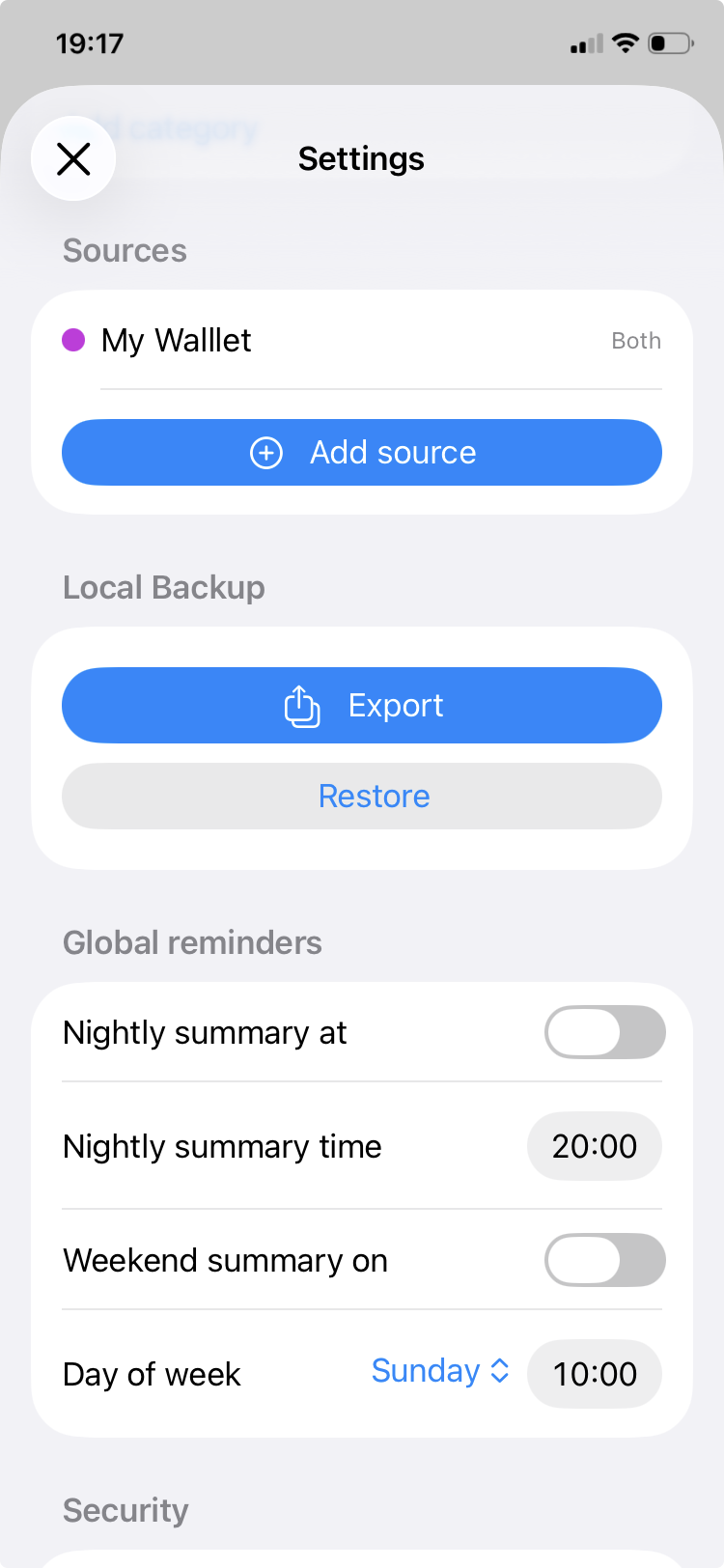
- Open iClara PFM → Settings → Local Backup.
- Tap Export. Creates JSON backup and opens share sheet.
- Choose Save to Files (iCloud/On My iPhone).
Notes:
- Backups include sources, categories, transactions, reminders, lock.
- Private — only saved where you choose.
- Filename: iClaraPFMBackup-YYYY-MM-DDTHHMMSS.json
How do I restore a backup?
- iClara PFM → Settings → Local Backup → Restore.
- Select JSON backup from Files.
- Confirm replace/merge — overwrites/merges local data.
Important: Replace overwrites; merge skips duplicates. Defaults use localized names.
My import failed with 'invalid backup file' — what could be wrong?
Causes/steps:
- Not iClara PFM JSON — confirm exported from app.
- Corrupted — re-export from original.
- Open in text editor to verify JSON.
How do I delete sources or categories?
Sources:
- Settings → Sources → Swipe left → Delete (orphans transactions).
Categories:
- Settings → Categories → Swipe left → Delete (reassigns to "Other"). Defaults can be restored.
App ensures "Other" category always exists.
Search not showing results — what to do?
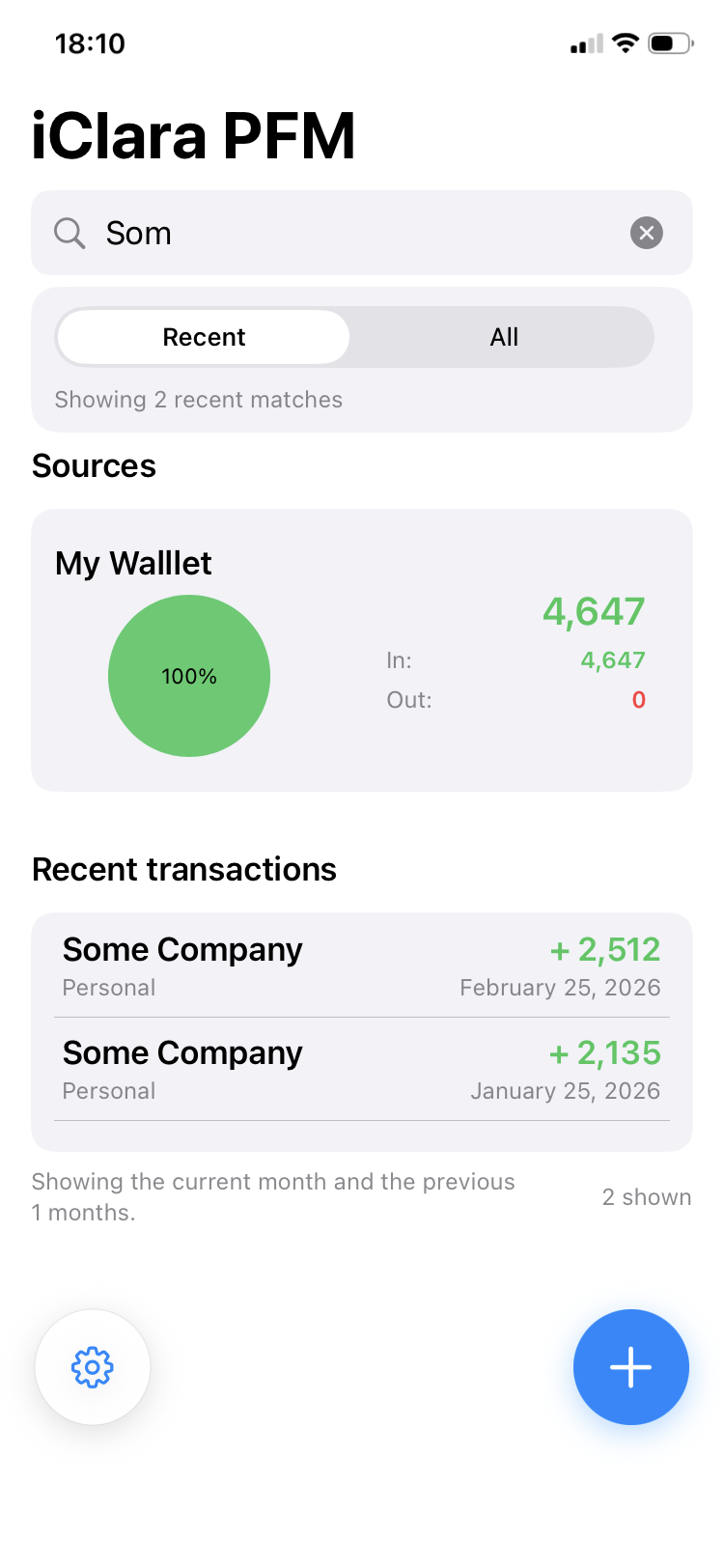
- Ensure 3+ characters typed.
- Toggle Recent/All scopes.
- Pull-to-refresh dashboard.
- Check recent months filter (Settings → Home Filter).
Search matches vendor/note/category/date/amount.
Notifications/reminders not appearing?
- iOS Settings → Notifications → iClara PFM → Allow.
- Settings → Global Reminders → Verify Nightly summary and/or Weekend summary are enable.
- Settings → Global Reminders → Verify times saved.
- Disable Do Not Disturb/Focus.
- Toggle reminder → reschedules.
How do transfers work?
Transfers:
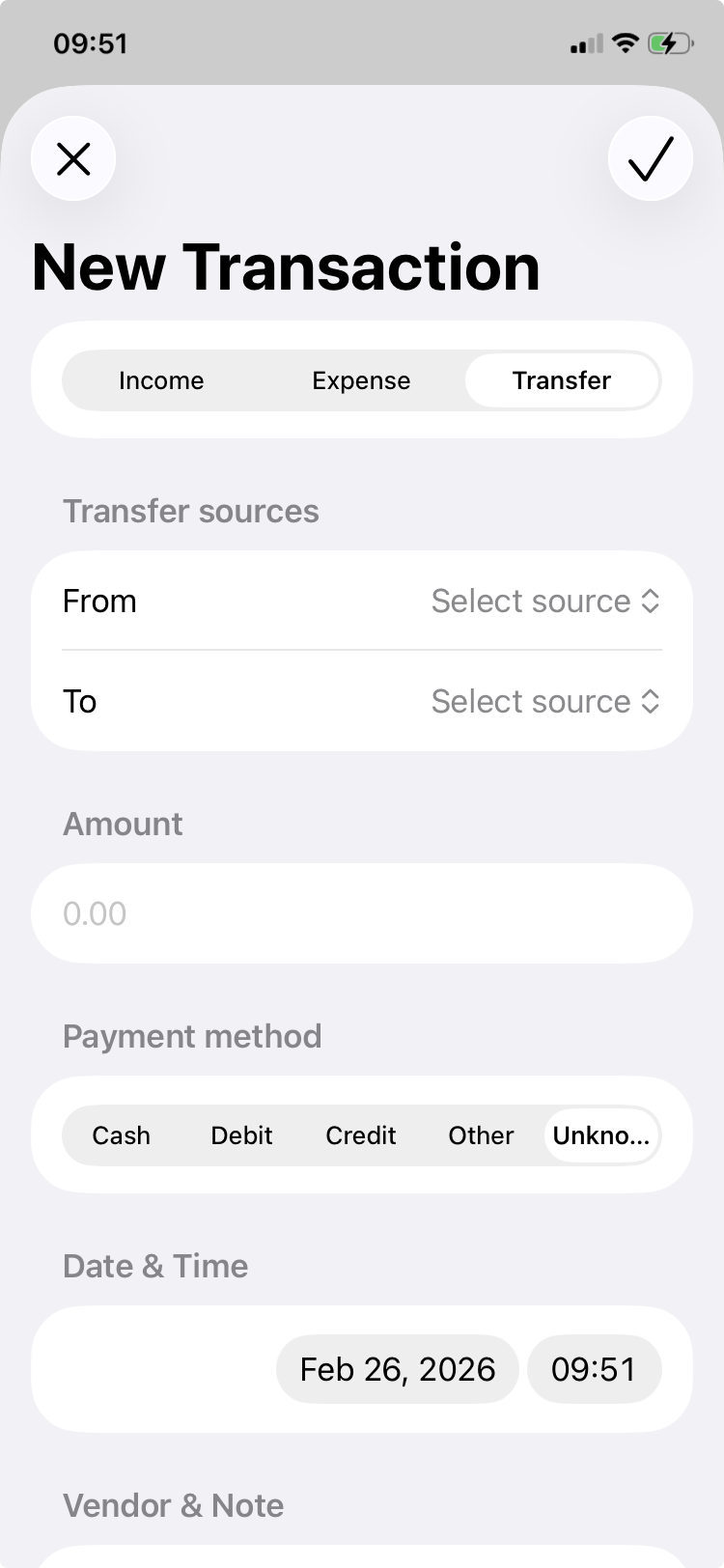
- 2+ sources required.
- Select From/To, amount/date/note/vendor/payment (outgoing).
- Atomic: both sides created/updated/deleted together.
- Edit/delete both.
Version History
-
1 Build 66
- Source color picker (user palette selection).
- Simplified search scope (recent/all toggle).
-
1 Build 35
- Default categories restore (deleted defaults).
- isDefault optional for migration.
-
1 Build 1
- Initial release with sources, categories, charts, transactions, backups.
Other troubleshooting tips
- Restart app: Force-quit & reopen.
- Refresh: Pull-to-refresh dashboard/charts.
- Update: Latest App Store version.
- Reinstall: Backup first if needed.
Contact support
Can't resolve? Email support with details.
Email: soporte@iclara.app
Include:
- App version (Settings → About)
- Device/iOS
- Issue steps